
Whenever you sit in an ergonomic office chair, it doesn’t just feel softer, it works with your body’s shape. The backrest supports your spine’s natural curve, while lumbar support helps fill the gap in your lower back so you don’t slump under pressure. Then seat height, depth, armrests, and tilt step in to ease strain and keep you balanced. The real trick is how these parts work together as your day starts to stretch out.
How Chair Posture Support Works
As a chair supports your posture well, it does more than give you a place to sit, because it helps your spine stay in its natural S-shaped curve. You feel that support through smart chair mechanics, which keep your body lined up without extra effort. The backrest support meets your back where it needs steady contact, so you don’t have to brace yourself all day.
As you sit, the chair guides your weight into a balanced position, and that makes long work sessions feel less tiring. As the frame, seat, and backrest work together, your body can stay calmer and more relaxed. That’s how you get comfort that feels personal, like the chair fits with you instead of against you, and you can settle in with confidence.
Why Lumbar Support Matters
Lumbar support matters because it helps your lower back keep its natural curve while you sit, so your spine stays better aligned.
It also eases pressure on the discs, muscles, and nerves in your lower back, which can help you feel less strained during long workdays.
Whenever your chair supports this area well, you’re less likely to slump and feel that tired, nagging posture fatigue creep in.
Lumbar Curve Alignment
Should you sit for long stretches, the right lumbar support can make a huge difference because it helps your lower back keep its natural curve. When the chair follows lumbar curve alignment, your spine stays in a shape that feels more like home and less like a slump.
That’s where spinal contour matching matters, because the backrest should meet the small inward curve behind you instead of pushing you flat. You’ll notice it when the support sits near your belt line and moves with your body.
Then your posture feels steadier, and you don’t have to keep fixing yourself every few minutes. With the right fit, you can settle in, stay focused, and feel like your chair’s got your back, quite literally.
Lower Back Pressure
Even a great chair can let your lower back ache whenever it leaves too much pressure on the spine, muscles, and discs. That’s where lumbar support steps in for you. It fills the small gap in your low back, so your spine keeps its natural curve and your weight spreads more evenly.
Whenever the chair matches your body, disc pressure drops, and sitting comfort goes up fast. You feel less squeeze around L3 and L4, and your back doesn’t have to do all the work alone.
With the right support, you can stay settled, feel more at ease, and join the workday without that nagging pull. Small changes matter, because your back deserves a chair that feels like it belongs with you.
Posture Fatigue Reduction
A good office chair can do more than hold you up. It helps you stay steady as your body starts to tire, and that matters during long workdays. As lumbar support matches your lower back, you keep your spine’s natural curve and your muscles don’t have to fight so hard.
- You sit with less slouching.
- Your lower back feels less strain.
- Your core stays calmer and less tense.
- You recover faster with microbreak cues.
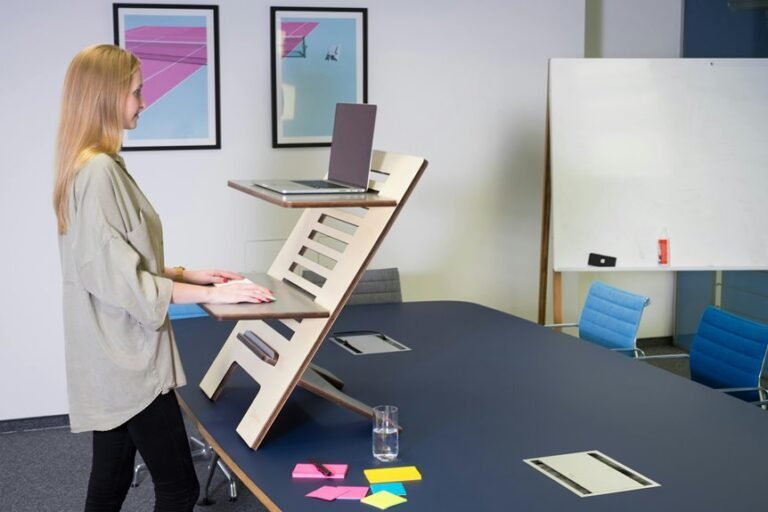
That support also pairs well with standing desk habits, because changing positions keeps fatigue from building up. So, as you lean back with the right tension, you’re not just resting. You’re staying part of a team that works with you, not against you.
How Seat Height and Depth Affect Posture
When you set your chair to the right height and depth, your body can stay much calmer during the workday. With the right seat height, your feet rest flat and your thighs feel supported, so you’re less likely to pinch your lower back.
Then seat depth matters too. Whenever the seat is too long, it presses behind your knees and makes you shift around. Should it be too short, you lose support and start slumping with the rest of the team, even whenever no one asked for that.
Aim for a small gap between the seat edge and your knees. That space helps you sit with steadier alignment, better comfort, and a more natural posture through long meetings.
How Armrests and Tilt Reduce Strain
When your chair gives your arms a steady place to rest, your shoulders can relax and your back doesn’t have to work so hard. You fit in better with your chair when armrest positioning keeps elbows close and wrists level. That support helps you stay open instead of curling forward.
- Set armrests so your shoulders stay down.
- Match the height to your desk edge.
- Use tilt tension to lean back with ease.
- Lock a gentle recline when you need steady support.
When the seat tilts with your movement, pressure shifts off your lower spine, and you feel less trapped during long tasks.
This kind of tilt lets you change posture without losing balance, so you can focus, breathe easier, and keep your workday feeling more human.
How to Choose an Ergonomic Office Chair
To choose an ergonomic office chair that truly helps your body, start with the one feature that does the most work for your lower back: built-in lumbar support. You want a chair that matches the curve of your spine and keeps you feeling steady, not squashed.
Next, check the chair material so it feels good during long workdays and still breathes well. Then compare options with a clear budget comparison, because the best chair isn’t always the priciest one.
Look for sturdy support, enough seat space, and a weight rating that fits you. Also, pick a style that makes you feel like you belong at your desk, not like you’re borrowing someone else’s chair. As you choose well, your workspace feels calmer and kinder.
How to Adjust Your Chair for Better Posture
A well-adjusted chair can take a huge load off your body. Start with seat height so your feet rest flat and your knees sit level with your hips. Then shape your posture setup by sliding the seat depth until you keep two to three inches behind your knees. Next, set the backrest so the lumbar curve meets your lower back, around the L3-L4 area, and keeps you from slumping.
- Raise or lower the chair until your thighs feel supported.
- Move the backrest to fit your spine’s natural curve.
- Use tilt and recline to ease pressure on your discs.
- Check tension so you can lean back without fighting the chair.
When you stay aligned, you feel steadier, calmer, and more at home at your desk.
Frequently Asked Questions
How Often Should I Change Positions While Sitting?
Change your position about every 30 minutes. Use short break reminders to stand, stretch, or shift, and make sitting adjustments that keep you comfortable, supported, and engaged with your work.
What Weight Limit Should My Ergonomic Chair Support?
Choose a chair rated for your body weight and built with a reinforced frame and dependable components. For most people, a minimum capacity of 270 pounds provides a solid level of support and comfort for daily use.
Which Spine Level Should the Lumbar Support Align With?
Align the lumbar support with your L3 to L4 level for the most direct contact. Position the curve at the height of your lower back so it matches your spine and provides steady support.
Does Recline Angle Affect Disc Pressure?
Yes. Reclining can reduce seated disc loading. In biomechanical studies, a backrest angle near 135 degrees can lower spinal disc pressure and provide more support.
Should I Avoid Twisting While Seated?
Yes, avoid twisting while seated since turning your upper body without moving your hips can strain your back and hips. Instead, rotate your chair or reposition your feet so your whole body turns together and stays supported.