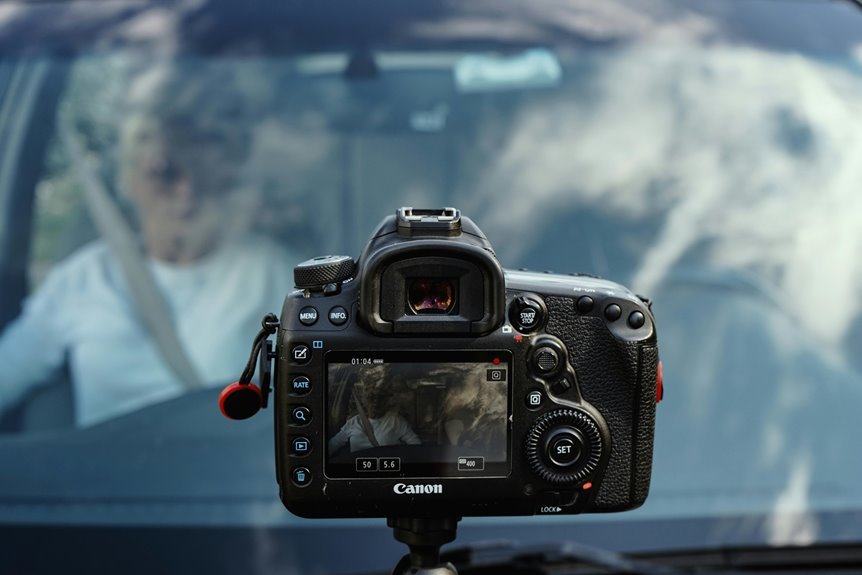

A dash cam can feel like a tiny witness that never blinks, and that matters whenever a drive turns stressful fast. You’ll see how it records the road, cabin, and even rear views, then protects key clips whenever a sudden hit happens. You’ll also learn what shapes video clarity, which features help in rain or dark streets, and why storage choices can save you from losing the one moment you need most.
What Do Dash Cams Record?
So, what do dash cams record? You get clear road scenes, including traffic, lane changes, and sudden stops, so you can feel safer on every drive.
Many models also capture cabin audio, which helps you recall what was said during a tense moment or a family trip.
Because the camera starts once you turn on the car, it quietly watches the road ahead and, on some setups, the rear too.
Should your drive turn rough, the footage can show exactly what happened, and that can make a big difference once you talk to police or your insurer.
You’re not alone out there, and your dash cam acts like a steady witness that keeps your side of the story in view, even when stress tries to blur it.
How Dash Cam Recording Modes Work
Your dash cam usually keeps working by using continuous loop recording, so it saves new footage while it quietly replaces the oldest clips.
Whenever something sudden happens, event detection steps in and locks that video so you don’t lose the significant part.
That way, you get steady coverage for daily driving and protected proof whenever a crash, hard brake, or bump shakes things up.
Continuous Loop Recording
Because a dash cam has limited storage, continuous loop recording keeps it working without you having to do a thing.
You set it up once, and it quietly records in short clips, usually three minutes each. Once the card fills, the camera uses loop overwrite, so new footage replaces the oldest files. That storage rotation helps you keep fresh road video without checking space every day.
You still keep the moments that matter, because significant clips can be locked and stay safe.
So, your camera stays ready for every drive, from school runs to late-night trips.
It’s a simple system, but it gives you steady coverage and a little peace of mind on the road.
Event Detection Recording
When a dash cam spots a sudden event, it shifts from everyday recording into a more protective mode that can save the exact moments you need. You don’t have to catch the crash yourself; the camera’s G-sensor notices hard braking, bumps, or impact, then starts a collision triggered save.
That means it locks the clip before and after the event, so the important scene stays safe from loop overwrite. With impact sensing alerts, you also get a quick signal that something happened while you were driving or parked.
This helps you review what really took place, share proof with police or insurance, and feel less alone after a stressful moment. It’s like having a calm friend who never misses the part that matters most, even when traffic gets messy.
What Affects Dash Cam Video Quality?
Your dash cam’s video quality starts with resolution and frame rate, because they shape how clear and smooth the footage looks.
Higher resolution can catch small details like plates and signs, while a stronger frame rate helps fast motion stay easier to see.
Low-light performance matters just as much, since a camera that handles darkness well can still give you usable video when roads get dim.
Resolution and Frame Rate
Higher resolution and frame rate can make a dash cam feel a lot more useful, but they do different jobs. You get clearer plates and signs when resolution climbs, so it helps you compare resolution standards before you buy. Then frame rate choices shape motion, so your clips look smooth when traffic moves fast or someone cuts in.
Whenever you drive in busy lanes, you’ll want both to work together. A sharp image with a weak frame rate can blur quick moments, while a fast rate with low detail can miss key facts. So you should look for a balanced setup that fits your commute, your car, and your peace of mind. That way, you feel ready, protected, and part of the road crowd.
Low-Light Performance
- A larger sensor gathers more light.
- A bright lens keeps details from fading.
- Good noise control reduces grain.
- Infrared or improved color helps tunnel and garage visibility.
Whenever these parts work together, you can spot plates, lane lines, and faces more easily. That matters whenever you’re driving home late and want proof that feels solid.
Whenever your dash cam handles shadows well, you don’t just record the road, you protect your peace of mind.
Dash Cam Features That Improve Footage
Whenever you want clearer dash cam footage, the small details make a big difference. You’ll notice it fast whenever image stabilization smooths out bumps, so shaky roads don’t turn your clips into a blur.
Next, a good lens coating helps cut glare from sun, rain, and headlights, which keeps your scene readable whenever traffic gets messy. You should also look for a wide field of view, because it helps you catch what happens beside you without stretching the image too much.
Then, strong low-light tuning works with sharp sensors to keep signs and plates easier to read at dusk. Whenever these features work together, you get footage that feels steady, clean, and ready whenever your driving crew needs proof.
Where Dash Cam Footage Is Stored
Most dash cam footage lives on a micro SD card inside the camera, and that setup makes the whole system feel simple and dependable. You can consider it as your car’s quiet memory keeper, always ready whenever you need it. With micro SD storage, the camera saves loop clips, so older files make room for new ones without much fuss.
- Your card holds everyday driving clips.
- Locked clips stay safe after hard braking.
- Wi-Fi lets you move files to your phone.
- Cloud backup can add extra peace of mind.
Because you belong behind the wheel, it helps to know where everything sits. The card stays easy to check, and the footage remains close nearby.
Should you choose cloud backup too, you get another layer of comfort without losing control.
How to Use Dash Cam Footage After a Crash
Now that you comprehend where your dash cam footage lives, the next step is comprehending how to use it when a crash happens. Stay calm, then save the locked clip right away. Copy the file to your phone or computer with Wi-Fi, or pull the micro SD card and make a backup. Keep the original card untouched for legal evidence preservation, since old loops can overwrite useful moments.
Then record the time, place, and anyone involved.
When you file your insurance claim submission, share the video along with the date, speed, and location data if your camera saved it.
You’ll give your insurer a clear view of what happened, and you’ll feel less alone in a stressful moment. If police ask, hand over a copy, not your only recording.
Frequently Asked Questions
How Do Dash Cams Power on When the Car Starts?
When you turn the key, the ignition signal activates the dash cam and the accessory circuit supplies power. It starts recording automatically with no extra setup.
What Happens When the Memory Card Fills Up?
When the card reaches capacity, the camera switches to loop recording and replaces the oldest unprotected clips first. Protected incident footage is kept secure, so your important recordings remain available when needed.
Can Dash Cams Record While the Car Is Parked?
Yes, your dash cam can record while parked if it includes parking mode. When hardwired, it can start recording after detecting motion or a bump, helping monitor your vehicle while it is unattended.
How Long Does Dash Cam Buffering Keep Before and After Events?
You’ll usually get about three minutes of buffered footage before and after an incident, helping the recording capture the full sequence. It keeps the critical moments intact when you need clear evidence.
Can Dash Cam Footage Include Speed and GPS Location Data?
Yes, many dash cams can record speed and GPS location through built in metadata or telematics features, giving you clear evidence for claims, route tracking, and quick proof when you need it.